A Simple, Uncluttered Qur'an Reader
Read the Qur'an without ads, pop-ups or crowded buttons. Only the verses on screen, with trusted tafsir and word-by-word recitation.
Many online Qur'an websites and apps have become bloated over time. Between ads, sidebars, pop-ups, and dozens of extra buttons on screen at once, it becomes hard to just read and concentrate on the verses of the Qur'an.
We wanted a simpler experience for ourselves—something with a clean, uncluttered interface, good typography, and a layout that stays out of the way so you can focus on reading. That is what arriqaaq.com/quran is.

Surah list
The home page lists all 114 surahs with a search bar to filter by name or number. If you were reading earlier, a small card at the top lets you continue from the last ayah you read.

Reading view
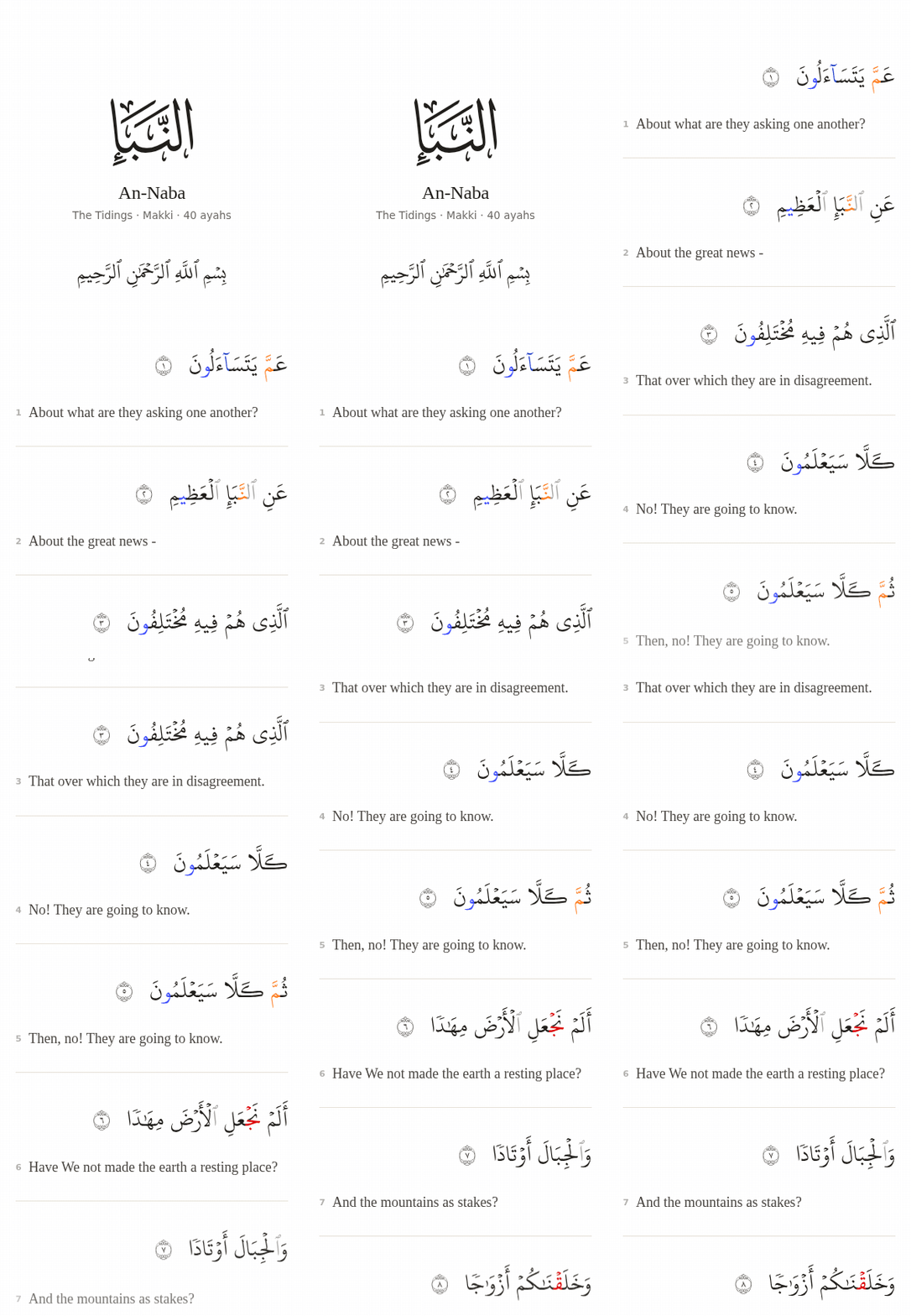
Each surah opens in a single white column using the QPC Hafs script with optional tajweed colours and generous spacing between lines. As you scroll down, the top bar and bottom audio player hide automatically so only the verses remain on screen. Tapping the page or scrolling back up brings them back.
Settings
A single settings sheet lets you adjust the Arabic font size, switch between two reading-friendly scripts, toggle tashkeel or tajweed colours (with a colour key), and enable transliteration—either under each word or as a line under the whole ayah.

Translations and tafsir
Instead of mixing in unreliable or deviant tafsirs and translations, the reader keeps the options limited to trusted sources: Sahih International and Muhammad Muhsin Khan & Taqi-ud-Din al-Hilali for translation (or off completely), and Tafsir Ibn Kathir (English abridged and Arabic) in the study sheet.

Word meanings and grammar
Tapping any word opens a small card showing its English meaning, root, lemma, and grammatical form, along with Recite from here, Grammar, and Highlight from here (which saves highlighted phrases to your notebook).

For a full breakdown of an ayah, the Grammar tab in the study sheet lists each word's morphology and sentence role in order.

Early manuscripts
The Manuscripts tab in the study sheet loads early Qur'an manuscript pages for that ayah from Corpus Coranicum, with folio details and a full-screen zoom viewer. The study sheet also includes a Reflections tab for reader notes, kept separate from tafsir.
Recitation
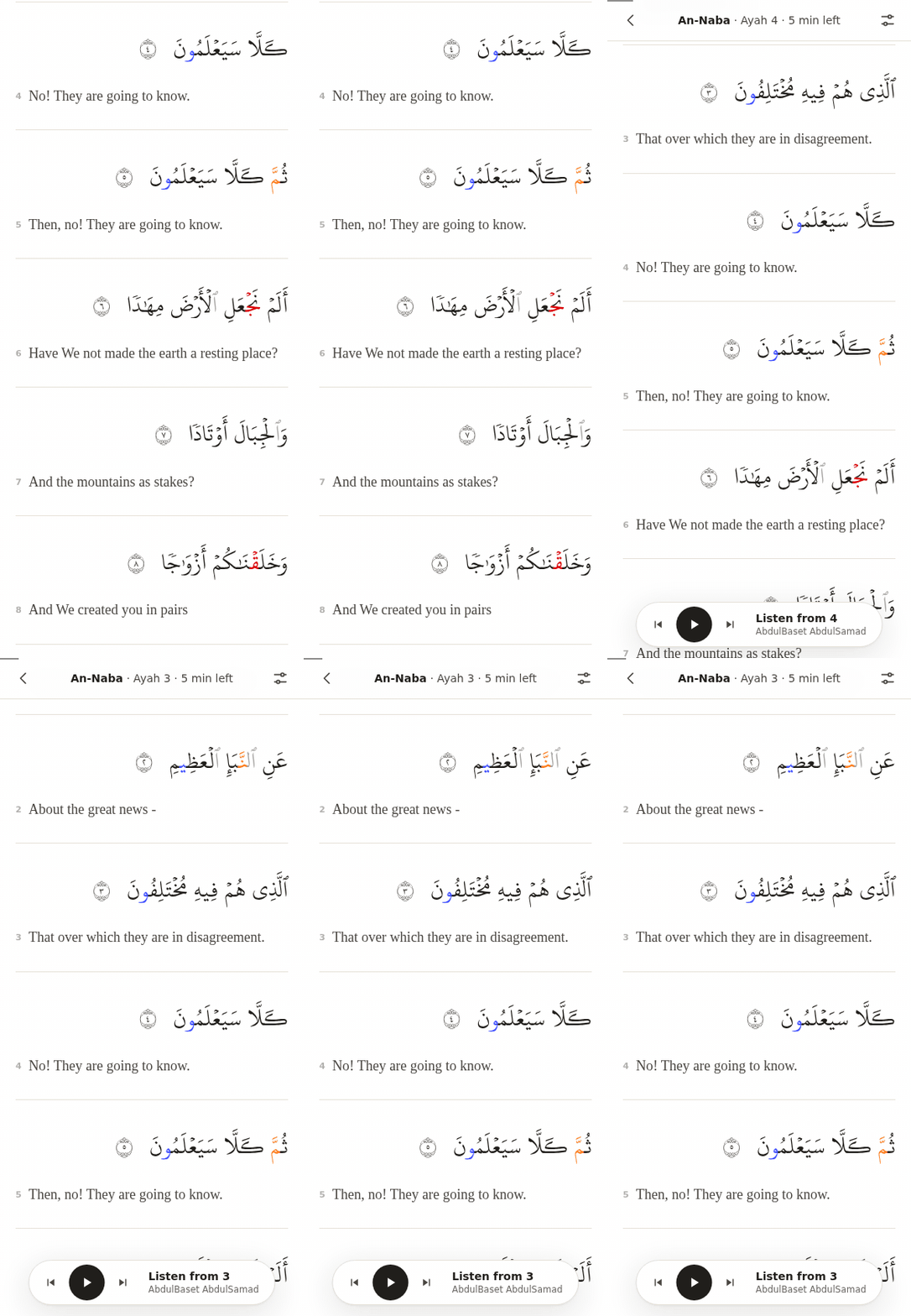
To keep reading distraction-free, the audio player stays hidden while you read. Scrolling up or tapping the page brings it back at the bottom of the screen.
The player supports 43 reciters. 12 reciters have word-by-word sync, highlighting each word as it is recited and scrolling the page with the recitation; 31 reciters play ayah by ayah. You can set a pause between ayahs, adjust playback speed (0.8× to 1×), repeat ayahs (1× to 3×), choose whether the page follows the reciter or your scroll, and control playback from your phone's lock screen.

Mobile view and personal study
On phones, the layout keeps comfortable margins and places all ayah actions in a thumb-height bottom bar that only appears when you tap an ayah number: Save, Note, Add to notebook, Read together (with a halaqah group), Listen, Tafsir, Manuscripts, and Share (each ayah also has a clean link such as /quran/18/10).

Try it
You can try it at arriqaaq.com/quran. If you run into any bugs or want to request a feature, please open an issue at github.com/arriqaaq/feedback.
Found a mistake or something to improve? Suggest a fix or report an issue on GitHub.